

Workflow
Product Due Diligence
Introduction
Trade blotters are used to record trades. Before trades can be recorded, a security must be created in the system. When creating the security, it may be necessary to perform due diligence, especially on complex products.A due diligence form is used to evaluate and approve securities for trading.
Creating a security
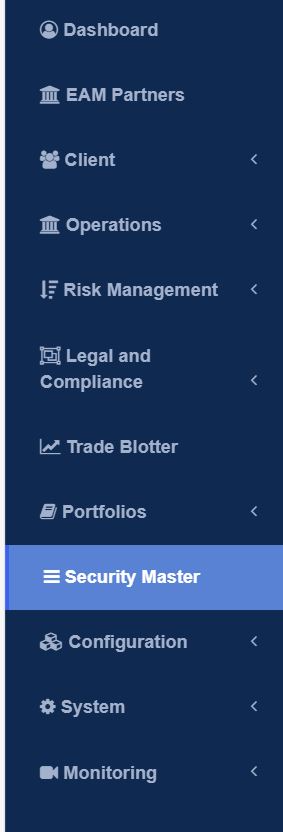
The Product Due Diligence Form can be accessing the ‘Security Master’ Tab and then clicking on ‘Add Security’.Step One
Step Two
Click on ‘Add Security’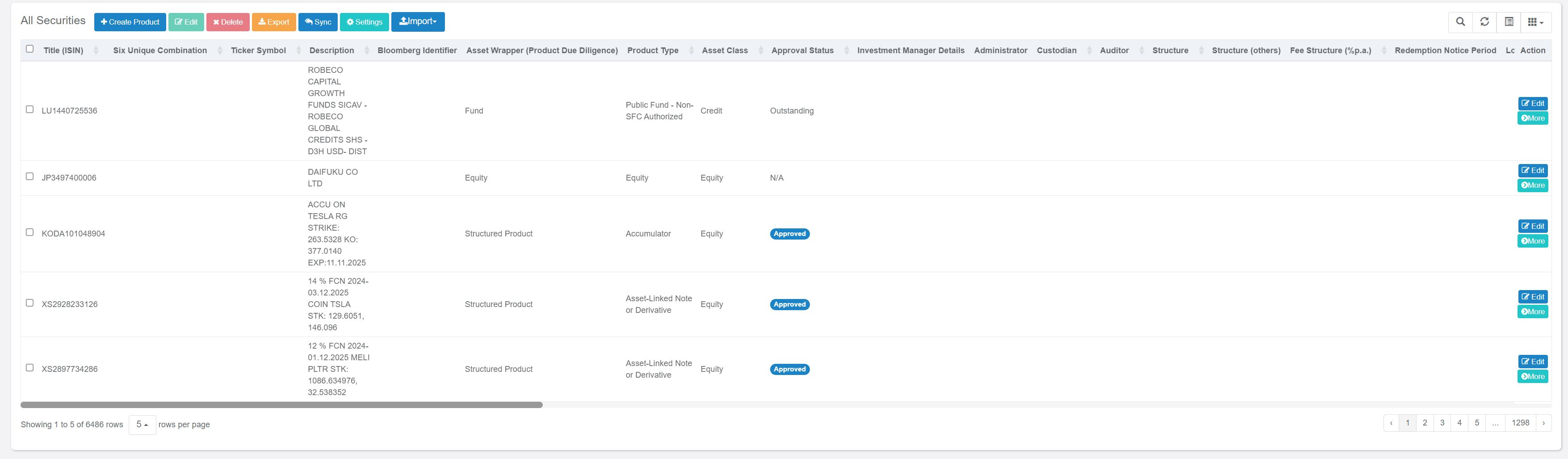
Step Three
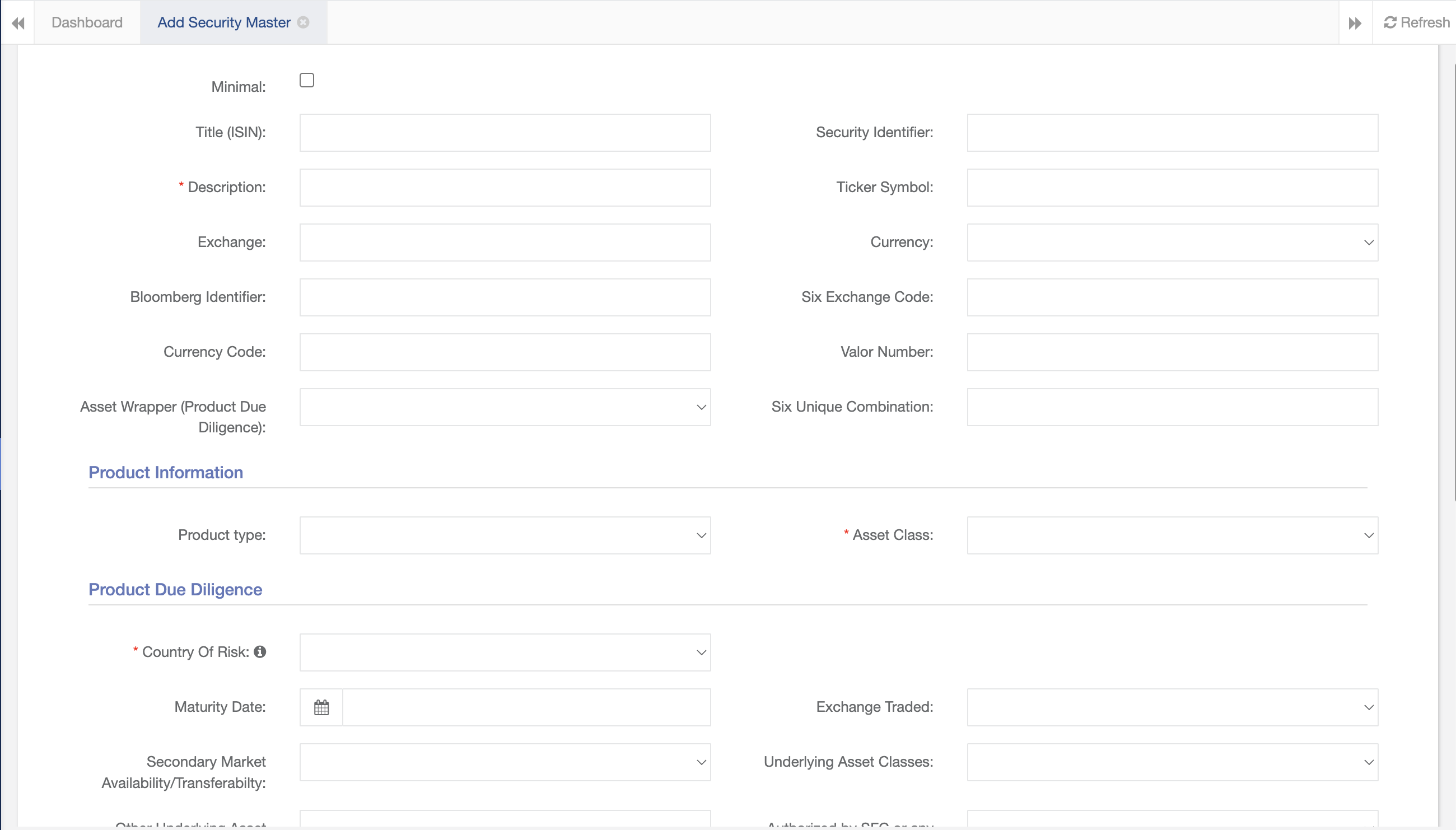
Complete the form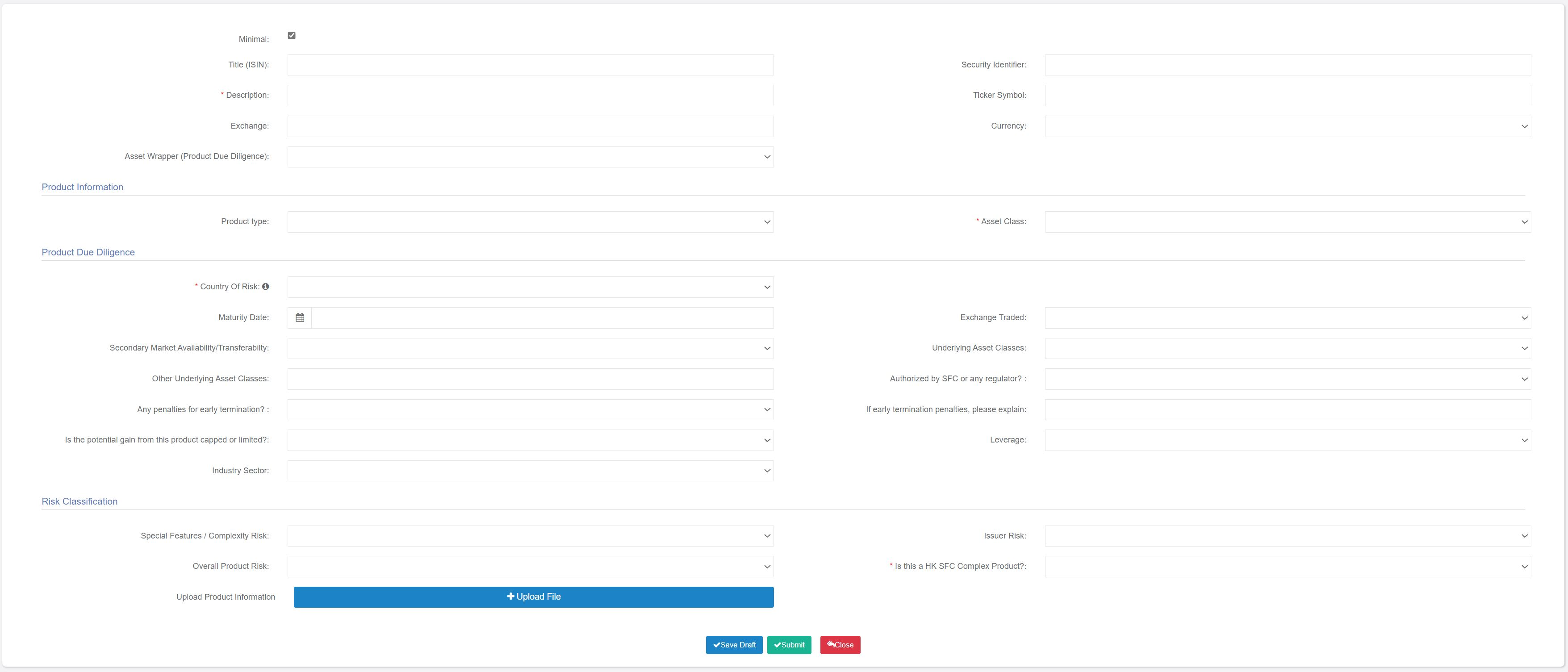
Approval
Once the product due diligence form is completed, it can be sent to senior management for approval prior to trading. Upon approval, the security will be added to the database and become available for inclusion in the trade blotter.Pre-Trade Controls
Set up Approval System
Pre-trade approvals should also be set prior to trading. They are parameters which determine whether trades need pre-approval and obtain their parameters from the Due Diligence Form.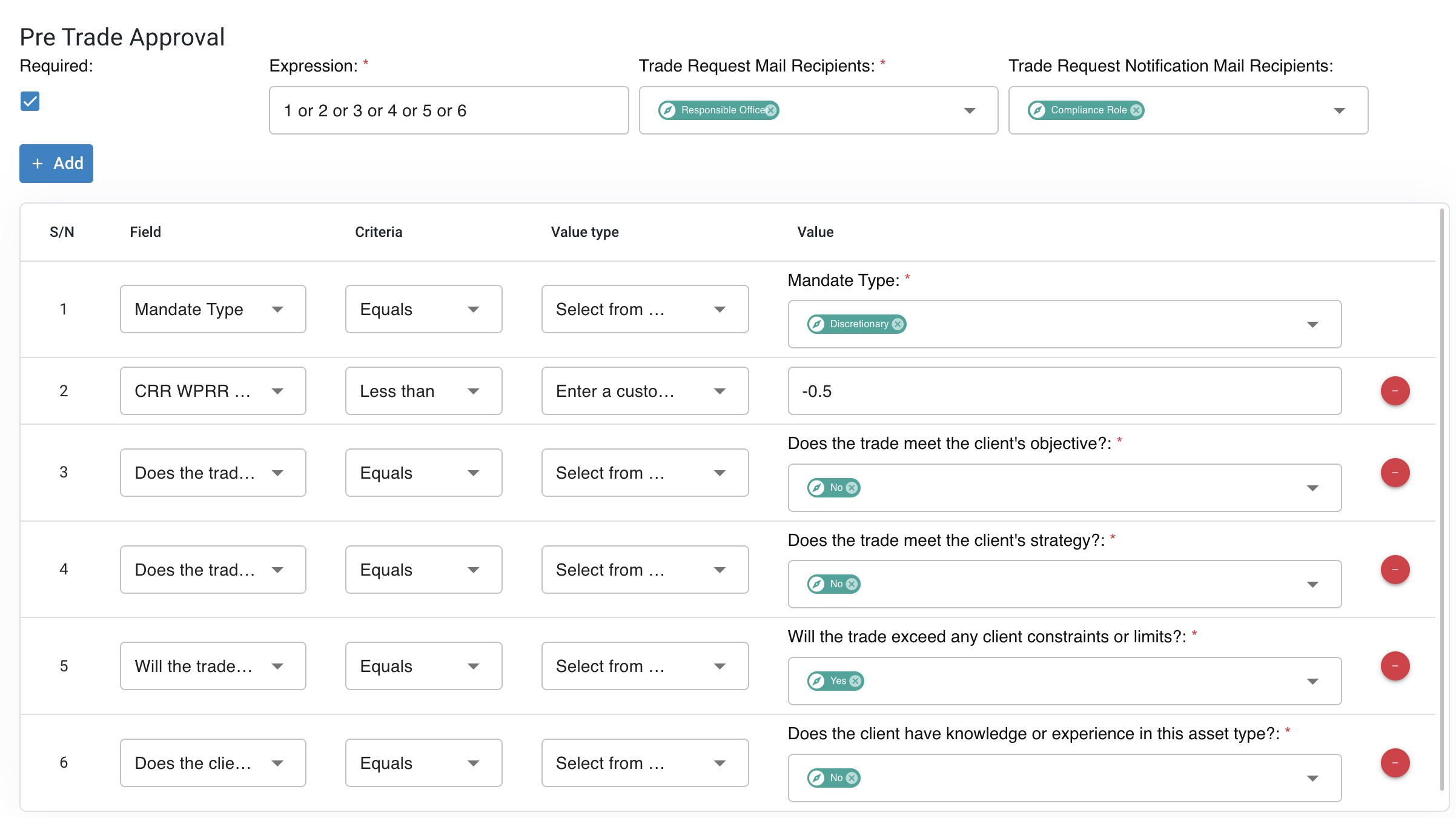
- Client Risk Rating
- Mandate Type
- Asset Class
- Asset Wrapper
- Buy/Sell
- Solicited / Unsolicited
Trading
Create Portfolio
Portfolios should be created before trades are input in the trade blotter.
Custom Portfolio
Input Orders
When entering orders, it is necessary to select the client. Trades can be separated into Open and Executed Trades
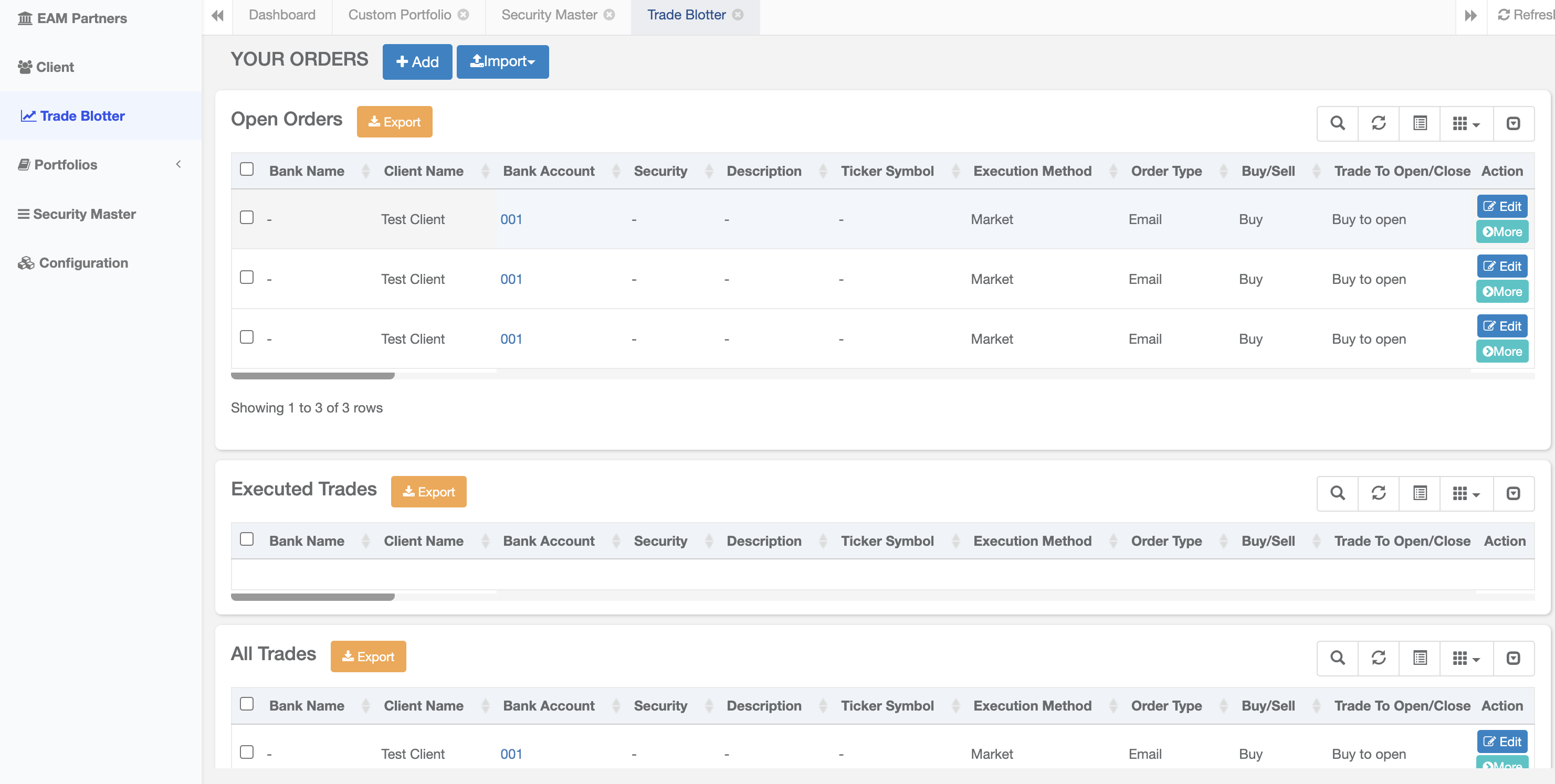
Open Orders and Executed Trades